
Natural Language tasks
Natural Language tasks allow users to interact with systems of Natural Language processing as Large Language Model, Small Language Model or AI Agents. These tasks can be used to perform a wide range of operations, such as text generation, summarization, translation, question answering, and more. They start from a prompt, which can be either a free text or a structured dataset, and can return the output as plain text or as a structured dataset.
The family is composed of four tasks:
See also
All these tasks need a connection to an AI model to be able to process the free text. The connection to the AI provider can either be configured directly in the task, or be reused from a saved AI Model resource.
Tasks layout
Once opened on the interface, all the Natural Language tasks share a common tab:
The Options tab, where the AI provider connection, the prompt and the data/memory handling behavior of the agent are configured.
All the tasks belonging to this family share the Options tab’s AI provider connection area, which is described in this page rather than repeated in each task’s page.
The Options tab is divided into two sub-areas:
The Model controller
The task-specific options, described in each task’s dedicated page.
Model controller
Choosing the AI model determines the model that will actually run the language model behind the agent.
The connection to the provider can be configured in two ways:
Saved: an existing AI Model resource, already configured and saved before, is selected.
Custom: all the connection parameters are entered manually, directly in the task.
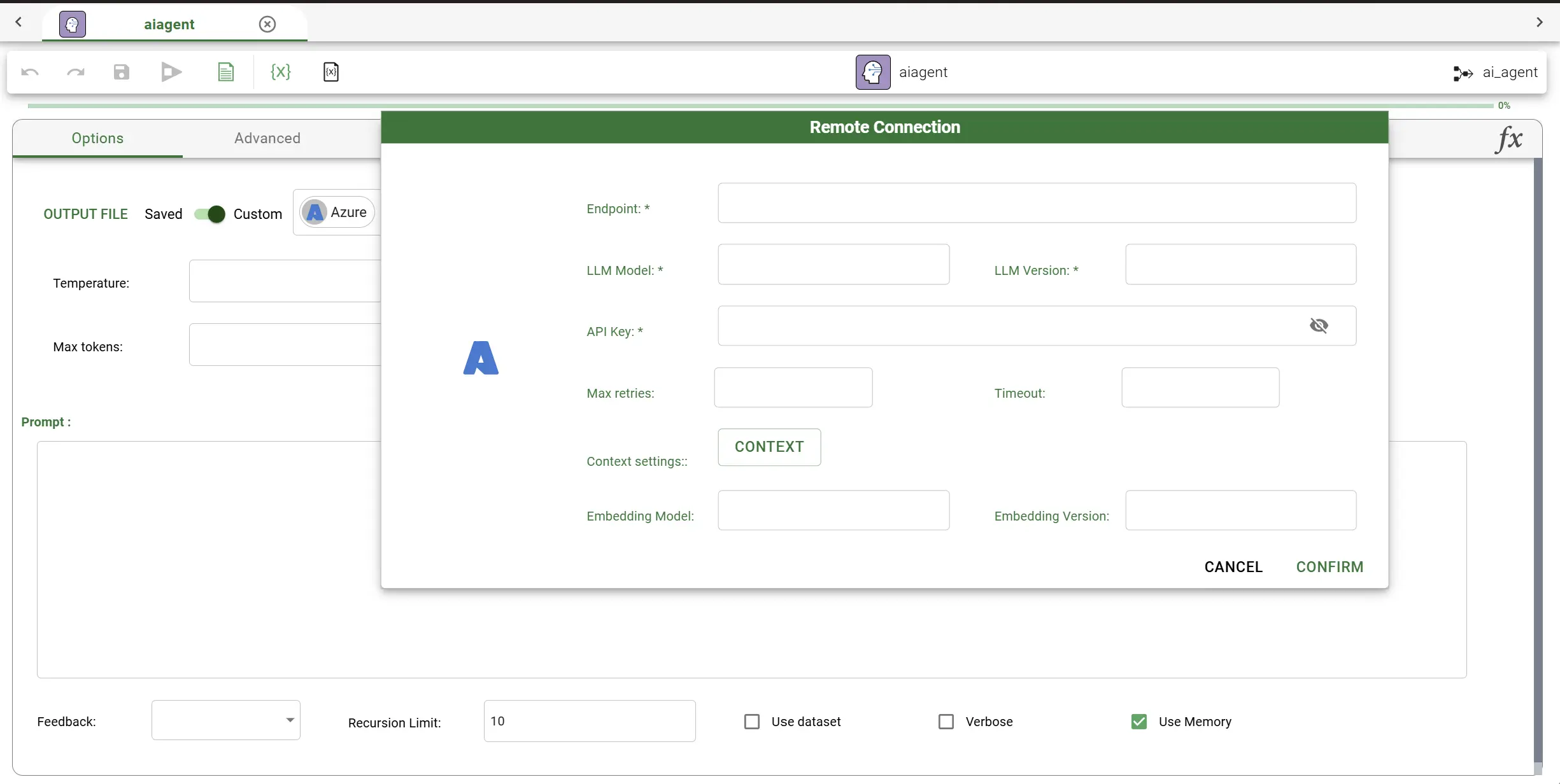
The agent can connect to a wide range of AI providers: OpenAI, Claude, Azure, Google Gemini, Amazon Bedrock, Vertex AI, Hugging Face, Ollama (which supports local models), and Perplexity.
Once the provider has been chosen, the required connection parameters must be filled in: these vary slightly depending on the provider. A complete description of every provider’s specific parameters is available on the AI Model resource page.
See also
Storing the connection as a AI Model resource allows reusing it across any task of this family, without the need to re-enter the provider details every time.
Common connection parameters
The following optional parameters are shared, when available, among the different AI providers:
Name |
Description |
|---|---|
Temperature |
Controls the randomness and creativity of the model’s responses. Lower values, closer to |
Max tokens |
Sets the maximum length of the model’s response, measured in tokens. This limits how long the generated output can be: if the model reaches this limit, its response is cut off. |
Timeout |
Defines the maximum amount of time, usually in seconds, that the system waits for a response from the provider before considering the request failed. |
Max Retries |
Sets how many times the system automatically retries sending a request to the provider if it initially fails, for example due to a temporary network issue or a rate limit. |
See also
To know more about all the available options, refer to the dedicated page.