
Export to Azure Table
Azure Table Storage is a cloud-based NoSQL datastore that allows users to store a large amount of data.
The Export from Azure Table task allows users to export datasets or other data structures to an Azure Table file.
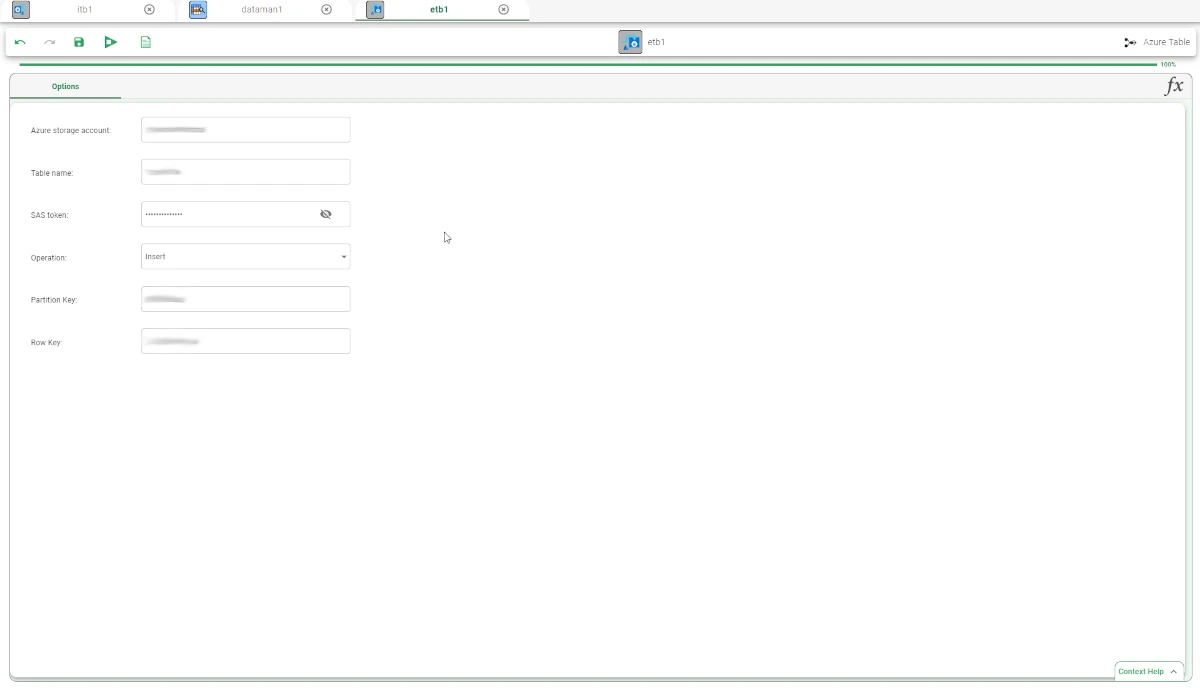
This task presents only one tab: the Options tab.
The Options tab
In the Options tab users can configure the following entries:
Azure storage account: the URL of the table service of the Azure Storage account.
Table name: the name of the table to be imported.
SAS token: the SAS token for the authorization on Azure Storage.
- Operation: the type of operation to perform on the table. The possible operations are:
Insert: to insert the selected table.
Update: to update the selected table.
Delete: to delete the selected table.
Partition Key: the name for the PartitionKey used in Azure Table. This option is mandatory, and it is only available if Insert has been selected in the Operation entry.
Row Key: the name for the RowKey used in Azure Table. This option is mandatory, and it is only available if Insert has been selected in the Operation entry. If an attribute name is specified, the attribute is used as the Row Key.
Warning
Always remember to save and compute the task.
Example
Drag an Export to Azure Table task onto the stage and link it to the task containing the data to export.
Open the task and provide all the required information. In this case, since Insert has been selected in the Operation option, other two entries Partition key and Row Key are available.
Once all the required information has been provided, save and compute the task.