
AI Agent
The AI Agent task allows building an AI agent directly inside a flow. The agent can understand a prompt, reason on a problem, optionally read the input data, retrieve documents through its own knowledge base, and even call other Rulex flows to take action and complete more complex tasks.
Once opened, the task interface is divided into three tabs:
The Options tab, which covers the core setup: connecting to the AI provider, writing the prompt, and configuring how the agent handles data and memory.
The Advanced tab, which allows the agent to return a structured, dataset-like output instead of plain text.
The Tools tab, where the tools the agent can call to complete its task are defined.
Warning
Always remember to save and compute the task.
The Options tab
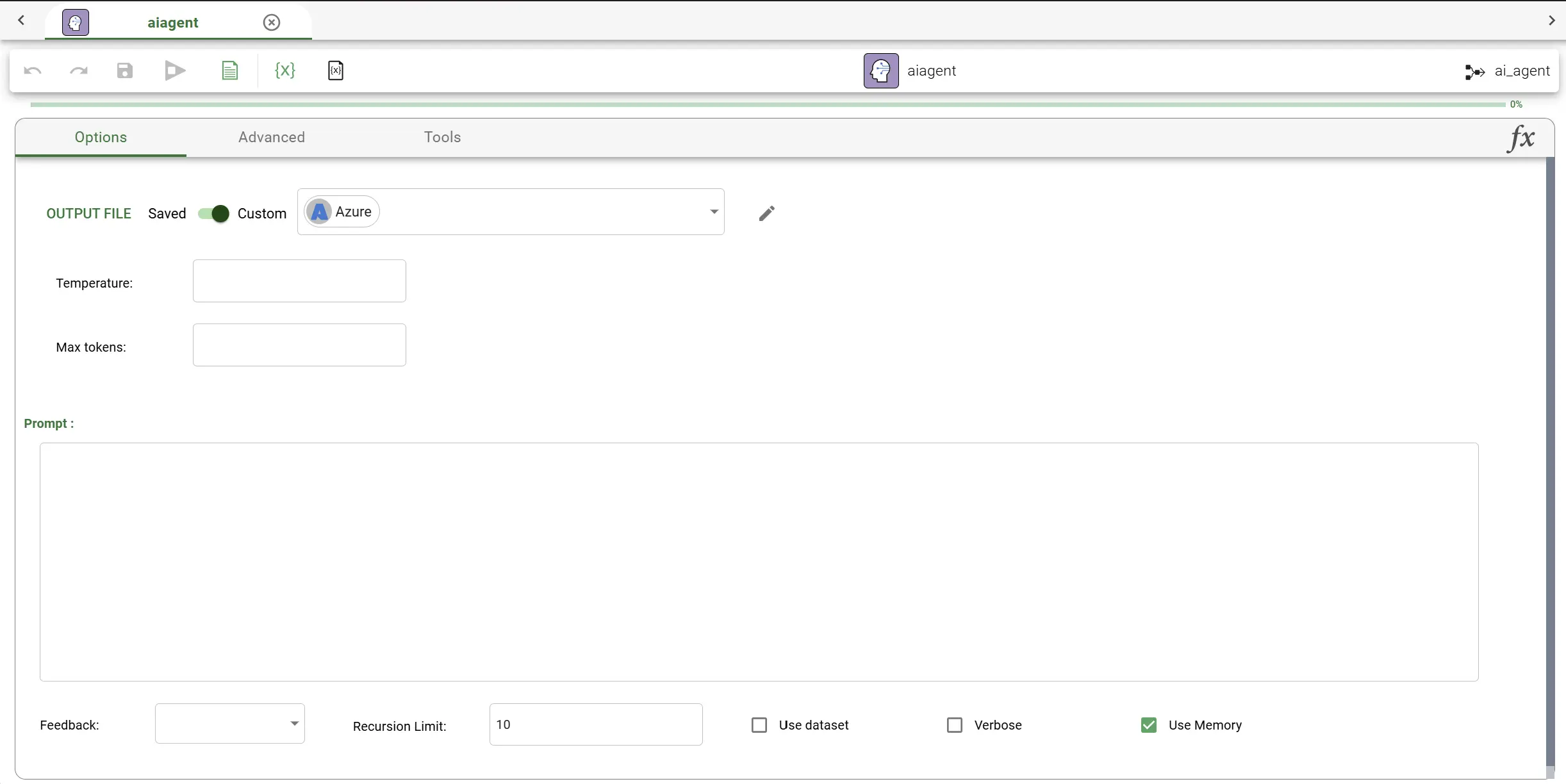
The Options tab follows the structure described in the AI Agent tasks family page, for the Model controller and its common connection parameters.
Prompt and behavior options
Once the connection parameters have been set, the following options can be configured:
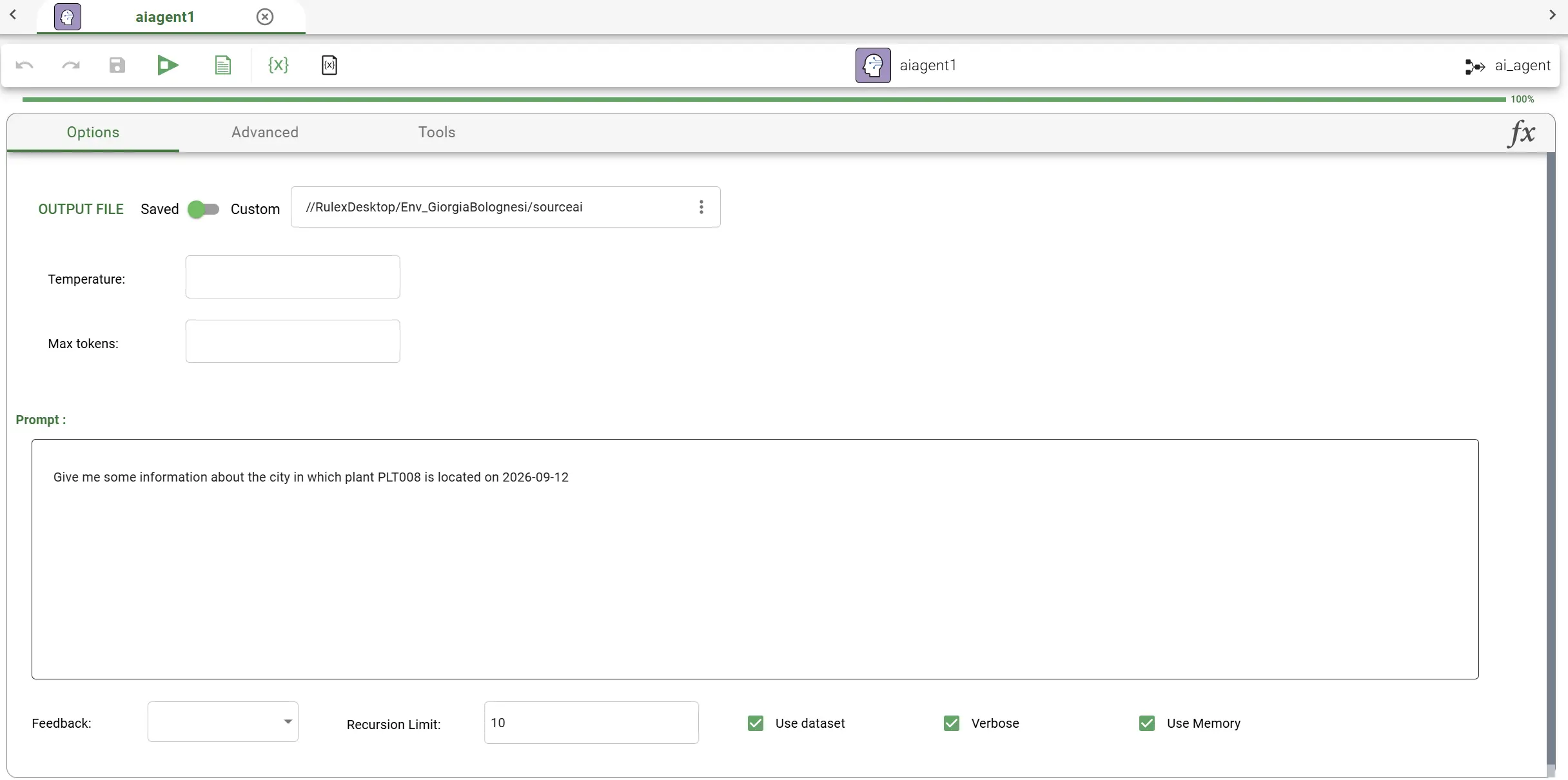
Prompt: the instructions given to the agent, describing the task it has to complete.
Use dataset: if enabled, the agent is able to read and work with the dataset provided as input to the task. When enabled, the agent gains the ability to query the dataset directly, so it can answer questions grounded on the actual data.
Verbose: if enabled, the agent’s reasoning process is shown in the output conversation, meaning not only its final answer, but also the intermediate steps it takes and which tools it decides to call along the way. This is particularly useful for debugging.
Use memory: if enabled, the agent continues a conversation started in a previous AI Agent task, so that it is aware of what was discussed earlier instead of starting from a blank state.
Recursion limit: controls how many times the agent is allowed to call tools while working on a task. It acts as a safety boundary: if the agent gets stuck repeating steps without reaching a final answer, this setting ensures it stops after the defined number of attempts.
The Advanced tab
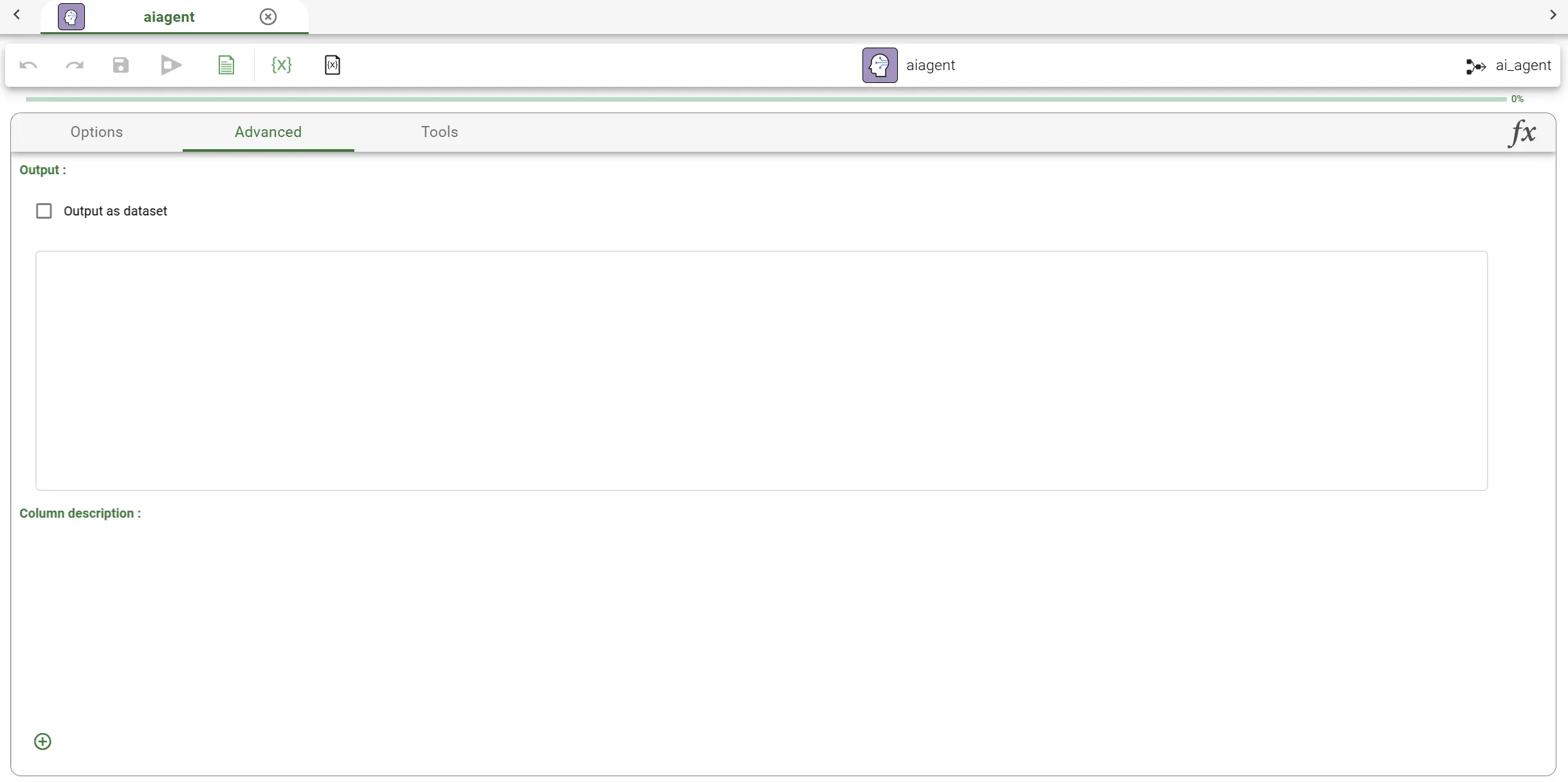
By default, the agent answers with plain text. The Advanced tab allows configuring it to return a structured output instead, which is useful when the output has to be passed to other tasks.
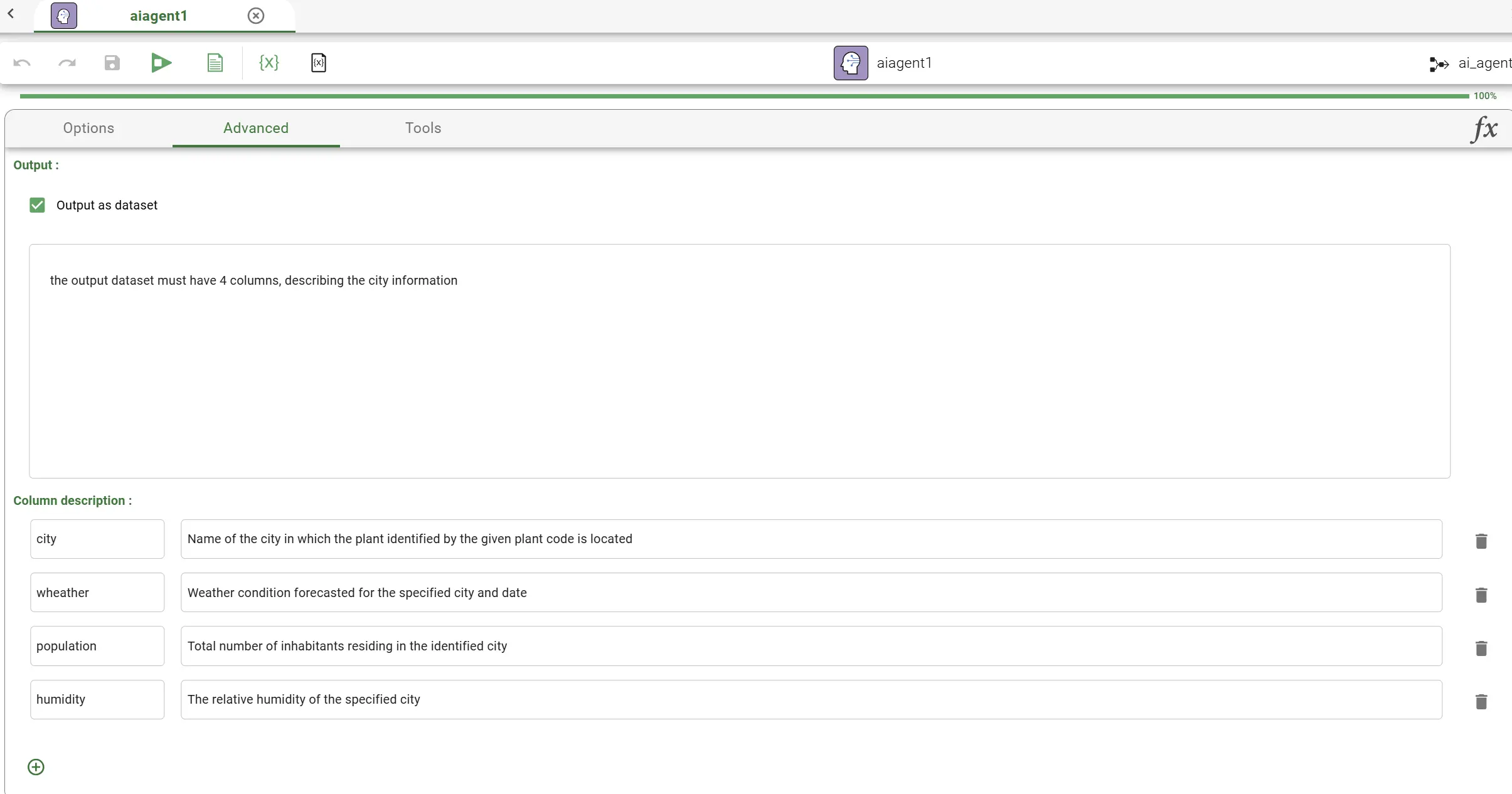
Output as dataset: if enabled, the agent returns its answer as a dataset rather than as plain text.
Dataset description: a description of the dataset expected as output.
Columns: for each column of the expected output dataset, a Name and a short Description of what it should contain must be provided. You can add new columns by clicking on the Plus button.
The Tools tab
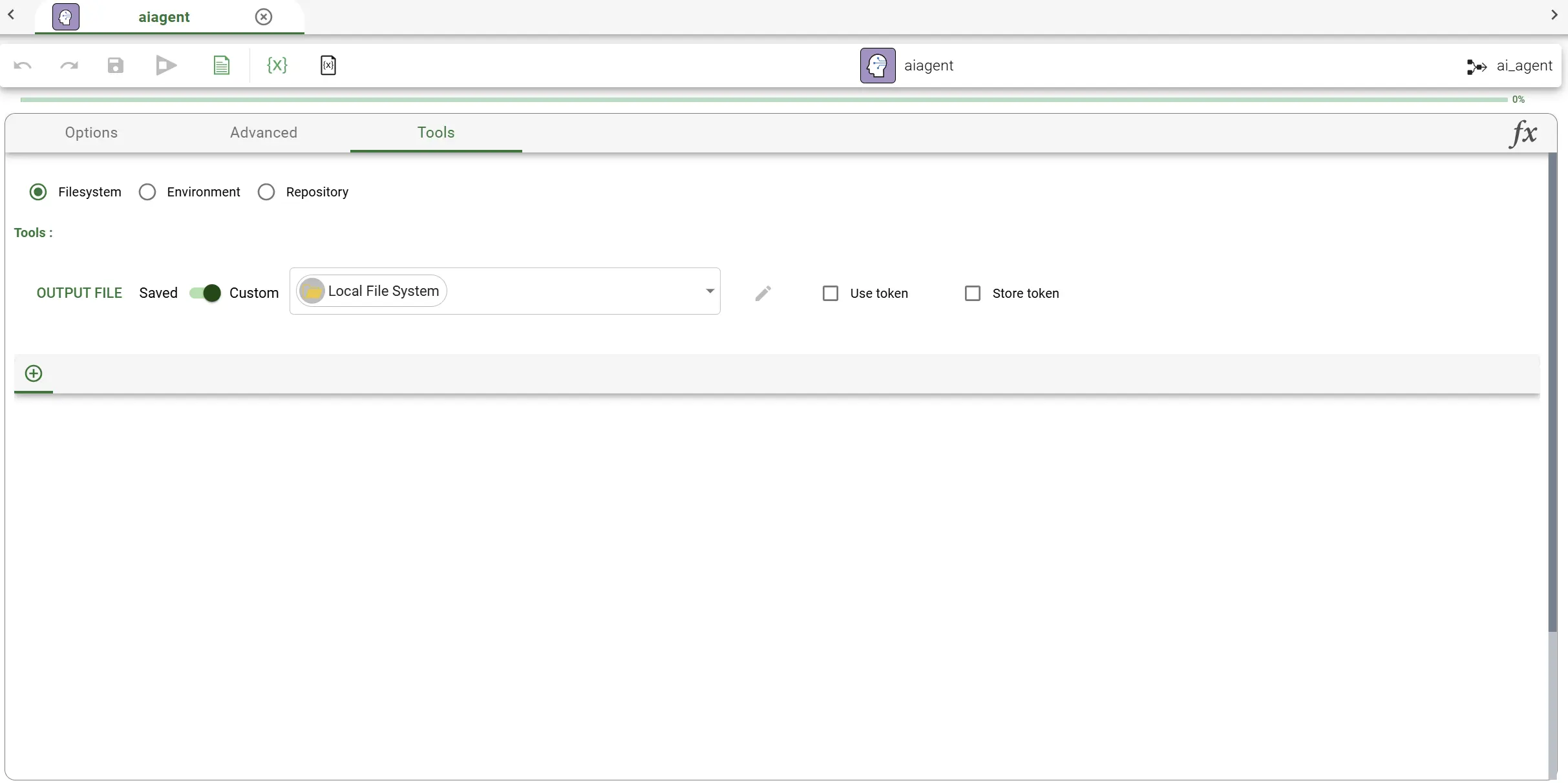
In the Tools tab, users can add one or more tools, which are Rulex modules that the agent can decide to run on its own while working on the task. The agent reads each tool’s name and description, and can decide, based on the conversation and the available information, when to use them.
Since tools are Rulex modules, they can be selected from three sources: Filesystem, Environment or Repository.
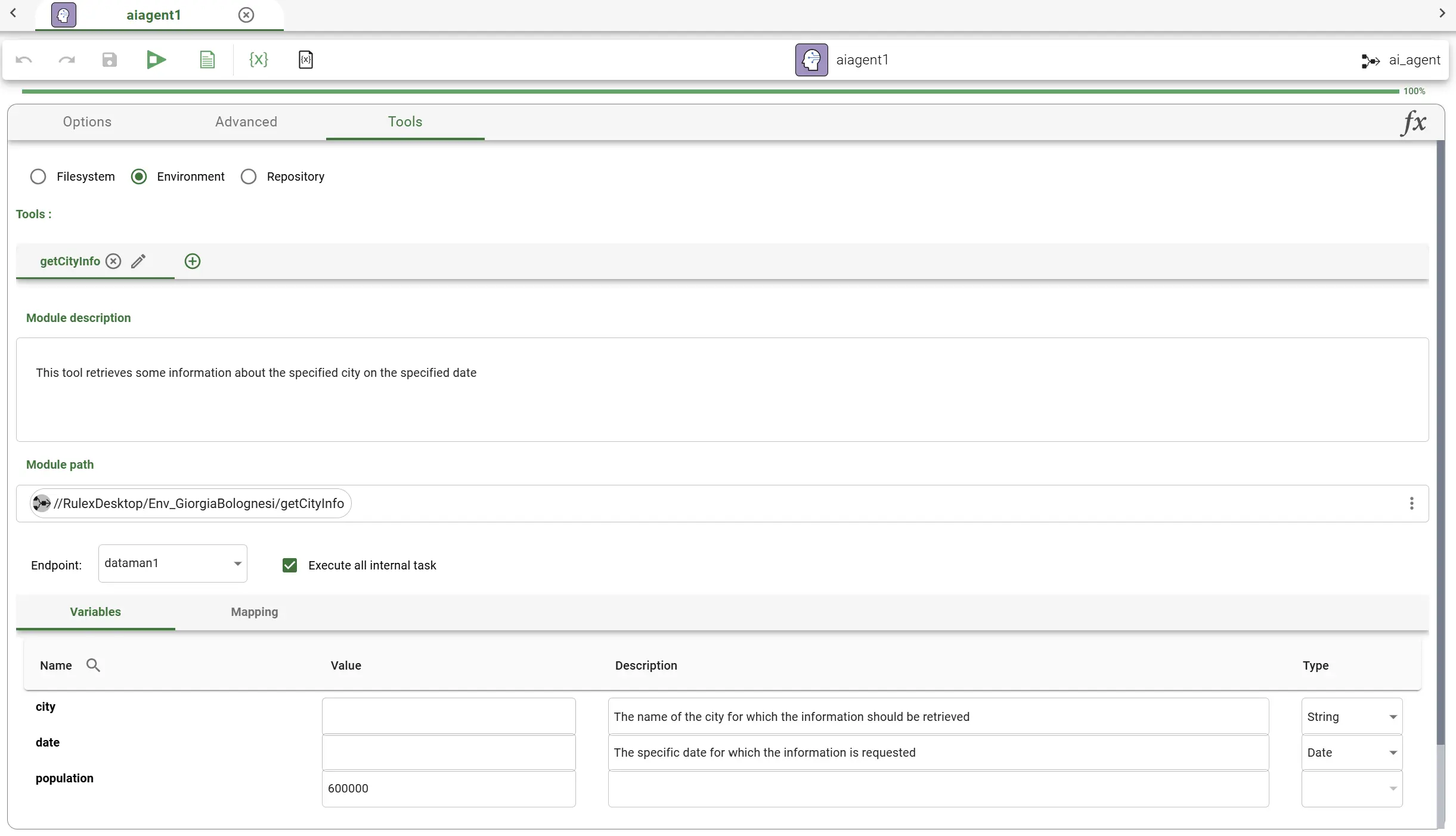
To add a tool, click on the Plus button and configure the following:
Name: the name of the tool, used by the model to choose which tool to call, since the agent may be given more than one tool at a time.
Description: a description of what the tool does, used by the agent to decide when to use it.
Module: the path pointing to the Rulex module to be used as a tool: it is a simple path in Environment case, it is a complete file connection in the Filesystem case or the connection to a versioned file in a selected branch in the Repository scenario.
Once a module has been selected, the following additional options become available, the same ones available for module tasks:
Endpoint task: the task inside the module whose results represent the tool’s output, i.e. where the agent looks for the result once the module has finished running.
Execute all internal task: if enabled, the entire module is executed in full, running every task inside it, rather than stopping at the specified endpoint task.
Variables: the variables defined inside the module. For each variable, a Value, a Description and a Type can be set:
If the Value field is filled, this value is always used when the tool runs.
If the Value field is left empty, and the Description and Type fields are filled, the agent decides the value on its own each time, based on the description and the information gathered during the conversation.
Mapping: works the same way it does for module tasks, allowing the user to connect the data between the parent flow and the module used as a tool.
See also
Configuration of tools closely follow the configuration of module tasks, so please refer to that page for more details.
Outputs
Once the agent has finished running, the task produces, in addition to the configured Dataset output if the Advanced tab is configured, two more outputs: the Conversation and the Results.
Note
In case the Advanced tab is not configured to return a dataset, the original input dataset is forwarder to the next tasks untouched.
Conversation
The Conversation output shows the full exchange that took place during the execution, broken down by role, so that it is possible to follow exactly what happened step by step:
The user entries show the input sent to the model, i.e. the prompt.
The agent entries show the final answer.
The reason entries are present only if the Verbose option has been enabled, and show the reasoning process of the agent, i.e. the intermediate steps it takes to reach a final answer. This includes also the tools it decides to call, together with the parameters used and the results of those calls.
See also
If the Use memory option is enabled in the Options tab, the conversation is not re-initiated at the beginning of the task. It will contains therefore any previous AI Agent interaction and it is ready to be used by another AI Agent task later on, so that the new agent can work with the full context of everything that was said before.
If the Conversation is converted in a dataset, by using the Convert structure to dataset task, it will contain the following columns:
Role: the role of the entry, which can be either user, agent or reason.
Content: the content of the entry, i.e. the prompt, the final answer or the reasoning steps, depending on the role.
Token: the number of tokens used for that entry, which is useful to understand how many tokens were used in total and how many are left before reaching the maximum allowed by the model.
The Conversation output is also shown in tabular form in the Conversation tab of the task if the task is computed.
Results
The Results output summarizes how the execution went, and contains:
The list of tools called by the agent during the task.
The list of invalid tool calls, i.e. the attempts where the agent tried to call a tool incorrectly.
A token summary, containing the prompt tokens, the response tokens and the total tokens used.
Results can be used to generally understand the model performance and the number of tokens used.
Example
Configure the Options tab by choosing an AI provider, filling in the connection parameters, and adding a context containing the desired documentation, so that the agent can be asked, in its prompt, about the city containing a specific plant on a specific date.
Enable Use dataset, linking an input dataset composed of the columns Plant and City.
In the Advanced tab, enable Output as dataset and define four columns describing the city information: city, population, humidity and weather.
In the Tools tab, add a tool, for example named
getCityInfo, pointing to a Rulex module which retrieves information about a specific city. Configure the module’s Endpoint task, and, for its variables, fill in the ones with a known value (e.g. the population) and leave the others (e.g. city, date) to be decided by the agent, based on their description and type.Save and compute the task.
Since the output has been configured to be a dataset, the result is a dataset with one row and four columns (city, population, humidity, weather), for example containing the information about Genova, the city retrieved from the plant specified in the prompt.